You've tried AI image generation. You typed something like "a cat in space" and got... something. Maybe it was cool, maybe it was weird, maybe it was almost what you wanted but not quite.
The gap between what you imagine and what appears on screen is the prompting gap. Here's how to narrow it.
Be Specific, but Not Constrained
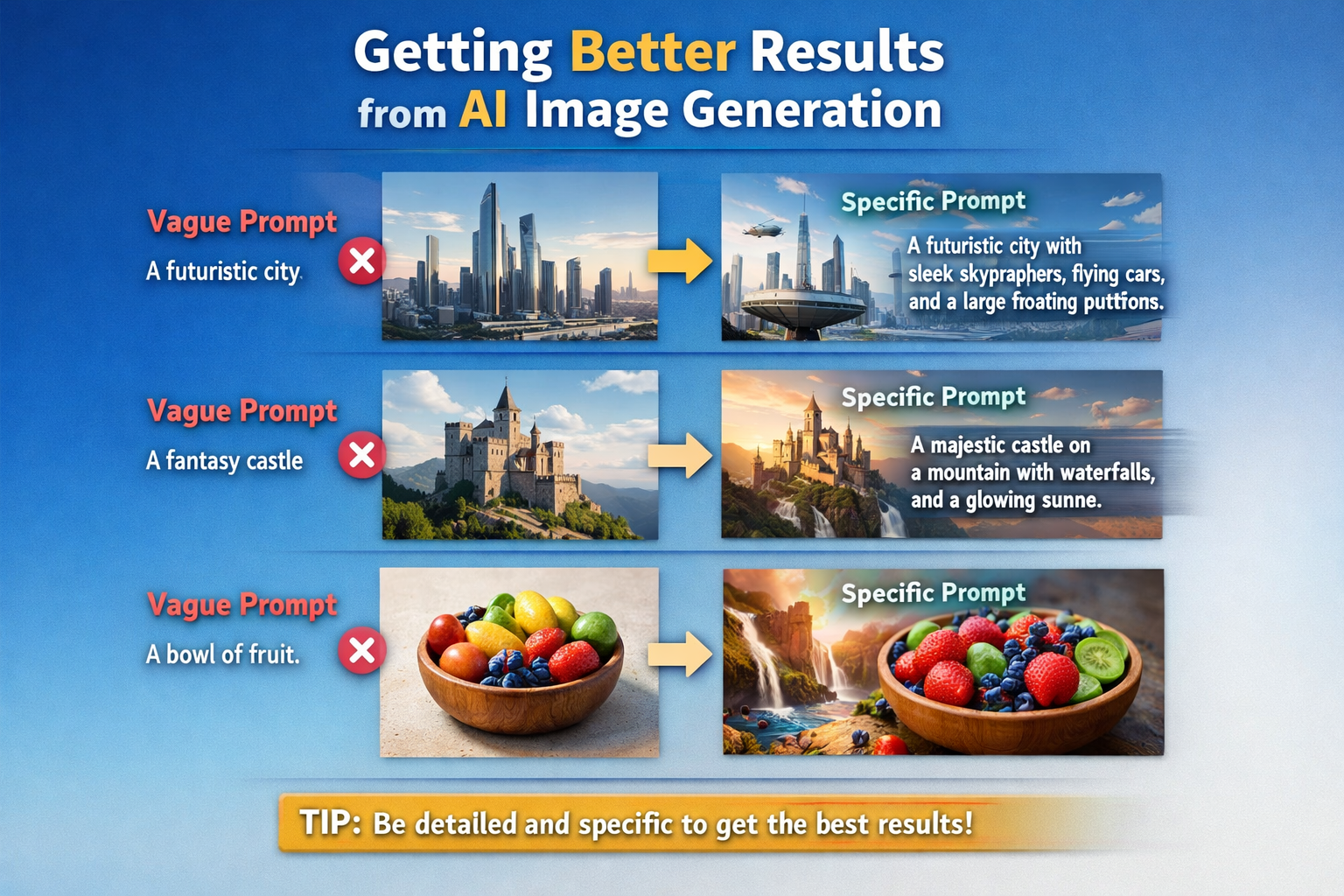
Vague prompts produce unpredictable results. "A beautiful landscape" could mean anything. But "a mountain lake at sunset with pine trees reflected in still water, warm golden light, photorealistic" gives the model much more to work with.
The trick is adding specificity without boxing yourself in. Include details that matter; leave room for the model to surprise you.
Too vague: "a dog" Better: "a golden retriever puppy sleeping on a red blanket" Even better: "a golden retriever puppy curled up asleep on a worn red wool blanket, soft afternoon light from a nearby window, shallow depth of field, photograph style"
Learn the Style Keywords
Most models respond to style descriptors. These aren't magic words, but they push the output in particular directions:
- Art styles: impressionist, digital art, concept art, oil painting, watercolor, ukiyo-e, art nouveau
- Mediums: photograph, illustration, 3D render, pencil sketch, digital painting
- Lighting: golden hour, dramatic lighting, studio lighting, natural light, neon, cinematic
- Camera terms: depth of field, bokeh, wide angle, macro, telephoto
- Quality indicators: highly detailed, 4k, masterpiece (effectiveness varies by model)
Experimentation is key. Try the same prompt with different style keywords and see what changes.
Use Negative Prompts When Available
Some platforms let you specify what you don't want. Negative prompts are powerful for cleaning up common artifacts:
- "blurry, low quality, distorted, deformed"
- "text, watermark, signature" (to avoid the model adding these)
- "cartoon, anime, illustration" (if you want photorealistic)
On Artfelt and other SDXL-based platforms, negative prompts are particularly effective for steering the output away from unwanted elements.
Iterate, Don't Expect Perfection
Your first prompt probably won't be your best result. Treat it as a starting point. Generate, observe what worked and what didn't, refine.
- Did the composition work but the colors were wrong? Adjust color keywords.
- Was it close but slightly off-center? Add composition guidance.
- Did the model misunderstand your subject? Rephrase the core description.
Some of the best AI art comes from prompt iteration—each generation informs the next.
Seeds: Your Consistency Friend
If you find an output that's almost perfect and you want to explore variations, look for the "seed" number. This is a value that determines the random noise the model starts from.
Using the same seed with the same prompt (on the same model) produces the same output. Using the same seed with small prompt variations produces variations on a theme. It's a powerful tool for consistency.
Learn Your Platform's Quirks
Different models have different strengths:
- SDXL handles text poorly but excels at artistic compositions and photo-realistic images
- Midjourney's models have a distinctive aesthetic baked in—even simple prompts look "artistic"
- DALL-E 3 follows instructions precisely, including text, but has a more clinical look
- Specialized models (anime transformers, architecture models, etc.) are tuned for specific domains
Prompt the same way on different platforms and you'll get different results. Learn what works where.
The Real Secret: Curation
Here's something experienced AI artists know: you generate more than you show.
A session might produce 20-50 images. The one you share is the best of the batch. This isn't cheating—it's curation. Photography works the same way. You take many shots, you show the best one.
Don't judge AI art by your hit rate. Judge it by your best outputs.
Prompting as a Creative Practice
Prompt engineering gets treated like a technical skill, but it's also a creative one. The best prompts come from people who:
- Have a clear vision of what they want
- Understand how language maps to visual concepts
- Are willing to experiment and iterate
- Know when to accept happy accidents
The machine does the rendering, but the creativity—the choices, the vision, the selection—is yours.
Start with what you want to see, describe it as specifically as you can, iterate until you get close, and curate your best results. That's the craft.
Now go make something.